
Showing posts with label tips and tools. Show all posts
Showing posts with label tips and tools. Show all posts
Thursday, June 21, 2012
Is it time for a new toothbrush?
Dentists (and toothbrush manufacturers) recommend a new toothbrush every three months. My problem was remembering when three months is up. Since I always have at least one extra toothbrush on hand, my solution is to write on the next brush's box the date I opened the previous one on. So on the spare brush I write June 14, and the next time I'm wondering when my three months is up, I can just check the box and see that I don't need to switch until September 14.


Thursday, May 31, 2012
The two minute rule
My clients are familiar with the two minute rule, as it is one of my favorite ways to describe to them how to know when to do something now and when to save something for later. When processing an inbox (physical or email), an action pile, a box of random things from around your house, or even your entire garage, the two minute rule can save you a lot of decision making hassle. In order to make progress, my rule of thumb is if you can do the action associated with the item in two minutes or less, then do it right then. If not, then save it for a time when you can spend longer on completing the project (this is time you would want to schedule in your calendar).

Some examples:

Some examples:
- You are going through your physical inbox and see a card from the dentist reminding you that you need to schedule a cleaning. Two-minutes or less? Yes! Pick up the phone and make the appointment, then put it in your calendar and recycle the card.
- You are going through your physical inbox and see a stack of insurance reimbursement forms you need to fill out and mail. Two minutes or less? No! Schedule a half hour or however long you think it will take you on your calendar for a day when you can spend some time in your office taking care of it, and move on.
- You are going through your garage, trying to make room for your car to actually park in it. You find a rake that you borrowed from your next door neighbor a while ago. Will it take you two minutes or less to return it? Yes! (Unless your neighbor is really chatty, in which case you might just want to leave it by their garage door.)
- You are going through your closet, paring down your wardrobe by pulling out anything you haven't worn in a year. You come across a couple of nice items that need mending. Can you fix them or have them fixed in two minutes or less? No! Put them by the front door to take to the dry cleaners next time you are running errands, or put them in a place where you will sit to do your mending, and mark off some time on your calendar to do so.
Tuesday, February 8, 2011
Out in plain sight
As nice as it is to have things put away behind cupboard doors and inside convenient drawers, sometimes it's much more sensible to store things in plain sight. For many visual-oriented people, having things visible is necessary in order to remember and find things. Keeping the jar of vitamins front and center on the kitchen counter is how one might remember to take them, or taping the permission slip that has to be returned to the school on the front door might ensure it actual makes the return trip. But sometimes, whether we need them out to remember them or not, front and center is the best place for certain things.

The kitchen is a perfect example. I do a lot of cooking. Within arm's reach of the stove I have pot holders, hanging on the side of the refrigerator on a Command hook. I also have salt, pepper, olive oil and a jar that holds my garlic. I don't put those items there because I'm afraid I won't remember to use them, but because if I had to visit the pantry every time I needed salt, or had to open a drawer every time I wanted pot holders, getting dinner on the table would be a more time-absorbing chore than it already is. My cook's tools aren't in matching containers, but they are functional and easy to clean and refill. Are you making certain tasks more difficult by not storing items out to be easily accessed?
Lelah Baker-Rabe is a Los Angeles-based professional organizer. To discuss your organizing needs, call her at 818.269.6671 or email lelah@lelahwithanh.com

The kitchen is a perfect example. I do a lot of cooking. Within arm's reach of the stove I have pot holders, hanging on the side of the refrigerator on a Command hook. I also have salt, pepper, olive oil and a jar that holds my garlic. I don't put those items there because I'm afraid I won't remember to use them, but because if I had to visit the pantry every time I needed salt, or had to open a drawer every time I wanted pot holders, getting dinner on the table would be a more time-absorbing chore than it already is. My cook's tools aren't in matching containers, but they are functional and easy to clean and refill. Are you making certain tasks more difficult by not storing items out to be easily accessed?
Lelah Baker-Rabe is a Los Angeles-based professional organizer. To discuss your organizing needs, call her at 818.269.6671 or email lelah@lelahwithanh.com
Thursday, November 4, 2010
Shortcuts
If you are on your computer a lot (and who among us isn't?) you can use keyboard and mouse shortcuts to streamline repetitive tasks and save yourself a few seconds here or there. These conveniences really add up to time and energy saved.

There are lots and lots of these, plus ones you can customize for yourself. Here are the ones I use most frequently on my Mac:

There are lots and lots of these, plus ones you can customize for yourself. Here are the ones I use most frequently on my Mac:
- Middle mouse button: click on a link and it opens in a new tab. Click the tab and it closes. Huge timesaver! (If you do not have an external mouse or a mouse with three buttons, get one immediately.)
- Command L: selects whatever is in your url bar. I use this in combination with copy (command c) and paste (command v) all the time.
- Command R: refreshes the browser page you are on, much easier than getting your mouse up the refresh button on the toolbar.
- Command M: minimizes your browser window. If I have a lot of open windows, this one saves me from having to click in the little x at the top left.
- Command S: always a good one when you are in a word processing document. Even though most programs automatically save frequently now, you can avoid trouble by assiduously saving your work.
- Command Z: undo! This is one of the most important shortcuts there is, and it works in a variety of situations. I love using it when I'm composing an email in Gmail. It also astounds me how many people are not aware of it! Learn it, use it, love it.
Lelah Baker-Rabe is a Los Angeles-based professional organizer. To discuss your organizing needs, call her at 818.269.6671 or email lelah@lelahwithanh.com
Thursday, July 22, 2010
Tips and Tools: Car organization
We spend so much time in our cars! In the August issue of Real Simple magazine, they turn their attention to cleaning out a car to make it almost like new. Cleaning your car is as necessary as an oil change from time to time, but the best way to keep your car organized is extremely simple:
Don't leave stuff in your car.
When you get home, take everything inside (and put it away).
Right now I know exactly what's in my car: the essential stuff in my glove compartment, my Thomas Guide , quarters for meters and some CDs. There are also emergency supplies stowed away with the spare tire under the trunk. There are no empty water bottles, trash, food, hairbrushes, sweaters or even grocery bags. If I bring that stuff into my car, I take it out after the return trip.

This is a little bit harder to manage with kids, I know, but it's a worthy goal. Much easier to keep your valuable car interior clean and serene with no stuff in it.
Make it your new rule, and feel the lightness of a perpetually clean car.
Creative Commons photo posted to Flickr by krisandapril
Lelah Baker-Rabe is a Los Angeles-based professional organizer. To discuss your organizing needs, call her at 818.269.6671 or email lelah@lelahwithanh.com
Don't leave stuff in your car.
When you get home, take everything inside (and put it away).
Right now I know exactly what's in my car: the essential stuff in my glove compartment, my Thomas Guide
, quarters for meters and some CDs. There are also emergency supplies stowed away with the spare tire under the trunk. There are no empty water bottles, trash, food, hairbrushes, sweaters or even grocery bags. If I bring that stuff into my car, I take it out after the return trip.
This is a little bit harder to manage with kids, I know, but it's a worthy goal. Much easier to keep your valuable car interior clean and serene with no stuff in it.
Make it your new rule, and feel the lightness of a perpetually clean car.
Creative Commons photo posted to Flickr by krisandapril
Lelah Baker-Rabe is a Los Angeles-based professional organizer. To discuss your organizing needs, call her at 818.269.6671 or email lelah@lelahwithanh.com
Monday, July 19, 2010
Tips and Tools: Sharpies
Sharpies are quite possibly my favorite organizing tool. And by Sharpies, I mean any sturdy permanent marker, I just happen to like and use the Sharpie brand, made by Sanford. I keep at least two in my purse at all times - a fine point and an ultra fine point. What can you do with a Sharpie?

brand, made by Sanford. I keep at least two in my purse at all times - a fine point and an ultra fine point. What can you do with a Sharpie?
- Label the leftover chili you're sticking in the freezer with the name and date you put it in there - no more wondering if your leftovers are still good.
- Write people's initials on their water bottles during car trips, cuts down on squabbles.
- Instantly make file folder labels that are easy to read - no label maker necessary.
- Silver Sharpies are great for labeling black cords and electronics accessories.
- They're best way to make readable name tags at functions.
- Quickly put your name and/or phone number on property that might get mixed up with others' or lost, like coolers, sports equipment, camping gear.
- There's also quite a bit of Sharpie art out there.
What do you use your Sharpies for?
Creative Commons photo posted to Flickr by JonDissed
Lelah Baker-Rabe is a Los Angeles-based professional organizer. To discuss your organizing needs, call her at 818.269.6671 or email lelah@lelahwithanh.com
Friday, March 5, 2010
Common clutter areas and what to do about them
Many of my clients have the same types of clutter in their spaces. There's something about the following areas that seem to stop people in their organizing tracks. These things are like rocks in a stream that stop up the flow and force you to navigate around them, all the time. Even if the rest of the room is fairly clutter free, having these problem areas can bring all the energy in the room down. Here are the three biggest ones:


Problem: Plastic and paper grocery bags. Some people have entire closets bursting with grocery bags and shopping bags, even when they do the sensible thing and get most of their purchases with reusable bags. Kitchen and closet space is at a premium for most of us, and we can't afford to have bags taking up valuable space, yet we're terrified of getting rid of them because we're sure to need them. In a way, this is true. I use plastic grocery bags and paper bags nearly every day, to contain recycling before it goes down to the bin, to carry my lunch to my client's, to carry my library books when it's raining. But the amount of bags you could use in a day, or even a week, will never come close to the amount of bags that some people store.
Solution: Recycle all but three plastic bags and two paper bags right now. Even those good, sturdy bags from the Apple store or whatever. The beauty to recycling these bags (and yes, even the small plastic grocery bags are recyclable nearly everywhere now) is that you're going to accumulate more. Quickly. Even if you are super diligent about bringing your own bags, somehow these things find themselves in your living space. Don't be afraid of running out, and don't keep more than a few on hand.

Problem: Used ink cartridges. Some people hang on to empty printer cartridges because they know they should recycle them but aren't sure how to go about it. Some think they might get them refilled and save a few dollars.
Solution: I've never refilled my cartridges, but I have heard that they are not as effective and don't last as long as the real thing. So it might not be worth it. As far as recycling goes, you can take empty ink cartridges to Staples, where they will recycle them for you and give you a rewards credit to use to their store in the future. It's very simple.
Creative Commons cable photo posted to Flickr by juhansonin
Creative Commons plastic bag photo posted to Flickr by evelynishere
Creative Commons ink cartridge photo posted to Flickr by kennymatic
Lelah Baker-Rabe is a Los Angeles-based professional organizer. To discuss your organizing needs, call her at 818.269.6671 or email lelah@lelahwithanh.com

Problem: Electronic accessories. Everyone somewhere in their house has a drawer or box with the little white piece of plastic that their iPod came with and black cords with colorful ends that most of us have no idea what function they have. There's the extra phone jack things that came when we installed our Internet service, and probably a few extra ethernet cables, disks that go to programs we never use, and sets of earbuds that may or may not still work. Somehow people, whether tech savvy or not, are afraid to get rid of anything that looks like a cable. But the problem is if you throw all that stuff in a box, you come back and have cable soup. Everything is tangled, ugly and messy and you don't even want to look in the box when you need something out of it, so maybe you go buy a new on (one of the biggest inidcators of a clutter issue).
Solution: Only keep what you can identify and need. If you aren't sure what that plastic piece is for, look it up online, decide if you have a use for it, then recycle it. Cables, power cords, old modems and other electronic equipment need to be disposed of properly at an e-waste facility. You can usually get rid of most everything electronic at Best Buy or other local retailers, but do a serach for e-waste in your area to find out the most convenient location. If you decide to keep some of these items, store each cable and cord individually in a plastic zip-top bag, then label the bag with the contents. Then store all the bags in one drawer or box, leaving enough room to add future aquisitions. Alternately, use twist ties or rubber bands to contain cords and remember to label, label, label. That unidentified black cable is not going to ever get used if you haven't labeled it as belonging to your old digital camera. (Better yet, donate the camera and cord to someone in need.)

Solution: Recycle all but three plastic bags and two paper bags right now. Even those good, sturdy bags from the Apple store or whatever. The beauty to recycling these bags (and yes, even the small plastic grocery bags are recyclable nearly everywhere now) is that you're going to accumulate more. Quickly. Even if you are super diligent about bringing your own bags, somehow these things find themselves in your living space. Don't be afraid of running out, and don't keep more than a few on hand.

Problem: Used ink cartridges. Some people hang on to empty printer cartridges because they know they should recycle them but aren't sure how to go about it. Some think they might get them refilled and save a few dollars.
Solution: I've never refilled my cartridges, but I have heard that they are not as effective and don't last as long as the real thing. So it might not be worth it. As far as recycling goes, you can take empty ink cartridges to Staples, where they will recycle them for you and give you a rewards credit to use to their store in the future. It's very simple.
Creative Commons cable photo posted to Flickr by juhansonin
Creative Commons plastic bag photo posted to Flickr by evelynishere
Creative Commons ink cartridge photo posted to Flickr by kennymatic
Lelah Baker-Rabe is a Los Angeles-based professional organizer. To discuss your organizing needs, call her at 818.269.6671 or email lelah@lelahwithanh.com
Monday, February 15, 2010
Tips and Tools: Flower arrangements
Cut flowers are a popular gift around Valentine’s Day and do a lot to bring a temporary surge of color and freshness to a space. From a keeping-organized perspective, I like them because they are consumables and as such as preferable in some ways to a living plant. Here are some tips to extend the life of your flower arrangement.
- Depending on the flowers, recutting the ends of the stems when you put them in water helps, as does flower food and using warm water.
- Don’t forget to keep the water level up, and for most arrangements, replacing the water entirely every other day is a good idea.
- For a mixed bouquet, once the weakest flowers start to die, pull them out and separate the rest of the flowers by type into smaller vases. Then position those in strategic areas around your home. The large bouquet that could only be enjoyed when in one area of your house then becomes a small vase of tulips for the kitchen, greenery for the coffee table and orchids for your nightstand.
- Put a penny in the bottom of a vase of tulips to keep them perky.


Lelah Baker-Rabe is a Los Angeles-based professional organizer. To discuss your organizing needs, call her at 818.269.6671 or email lelah@lelahwithanh.com
Thursday, January 14, 2010
Tips and tools: Space and storage
When looking for the perfect container for a category of things, whether it be a glass jar to hold your seashell collection, a magazine holder to contain your subscription to National Geographic , or a linen closet that will hold all of your sheets, blankets and towels, too often people look for a container that will hold those items "just right." Just right means it is the perfect size to hold however much of something you have--a jar in which your seashells go right up to the brim, a linen closet in which every shelf is full of linens.
, or a linen closet that will hold all of your sheets, blankets and towels, too often people look for a container that will hold those items "just right." Just right means it is the perfect size to hold however much of something you have--a jar in which your seashells go right up to the brim, a linen closet in which every shelf is full of linens.
This is a cardinal organizing mistake. Do not think that by finding the perfect sized container you are getting organized. Rather, you are shooting yourself in the metaphorical foot. What happens when you go to the beach and pick up a beautiful shell and want to add it to your collection, or your next National Geographic arrives and you suddenly have no place to put it because the magazine holder is full? You're carefully selected system is suddenly useless, and you either have to find another container for your new possession, spend time taking everything out of the old container and finding a new, larger one that will fit everything, or just shove the new item on top of the old items, which is how most linen closets end up looking like disaster areas.
Save yourself the trouble by selecting a container that is actually big enough to allow room to add to it. It is the nature of life that we tend to accumulate more of the same kinds of things. Leave space in that glass jar and leave room at the top of your plastic boxes. Don't fill everything up to the brim and you'll be surprised at how easy it is to stay organized.
Of course, sometimes you have a finite amount of room, such as with a linen closet. In that case, culling the linens that you no longer use or are damaged and donating them is the best way to make room for new stuff. You can also consider the one-in-one-out rule, which works well for clothes as well.
Eventually you may fill up a container to the brim, even after careful culling of no longer loved, needed, or used items, and that's okay. Organization goes hand in hand with flexibility.
Lelah Baker-Rabe is a Los Angeles-based professional organizer. To discuss your organizing needs, call her at 818.269.6671 or email lelah@lelahwithanh.com
Thursday, December 10, 2009
Tips and tools: Magazine management
I love to read and stay current in a few fields like music, movies and design. I also like to make collages out of colorful images and text. Magazines are a fun way to accomplish both tasks. However, between subscribing to them and also getting free alumni magazines, AAA and Costco publications, interesting catalogs and the Sunday paper's magazines, it can be easy to get overrun with so many magazines that you can't keep up with them anymore and they just pile up, a glossy pile of reproach.
Tip 1: Don't get them
The best way to solve this is to let your subscriptions to the magazines you don't read run out and request to be taken off mailing lists. I have only subscribed to one magazine every year since I turned 16, a biweekly magazine that I actually do read cover to cover (eventually). While buying magazines at the newsstands is hardly cost effective if you'll be reading a certain title every month, you can get so much information and so many of the articles online, there's really no reason to spend money and valuable coffee table space on more than your most beloved publications.
Tip 2: Contain them
If you do have more than one subscription, which is not uncommon (one member of my household has three separate car magazine subscriptions), you might be at a loss for what to do with the magazines before you have a chance to sit down and page through them. I recommend a sturdy, shallow basket or tray placed near where you go through your mail. The magazines collect there, and when that tray fills up, you're signaled that you need to read, recycle, or archive the contents.

Tip 3: Archive them
The same person who has three car magazines delivered to our home every month has every one of those magazines from the past fifteen years archived. He uses plain white magazine holders from Ikea, with cute labels pasted to the front made from the subscription cards that are stuck into the pages of the magazines to identify which title is stored in each holder.
If you must keep your magazines, I suggest you do something similar, if you have the space on shelves. Shallow plastic storage boxes area also a good option. The smaller the better, as a large plastic box filled to the brim with magazines becomes very heavy.
Tip 4: Reuse and recycle
Personally, I like to read the magazines, put them in a single magazine holder and when that fills up, make a project of flipping through them. I save a few notable issues every year, and the rest get turned into scraps for my collage projects and recycled. You can also pass on interesting magazines to friends, sometimes donate them to libraries or get rid of them on Freecycle. Magazines make great art project supplies, so ask at your local elementary school as well.
Don't feel guilt or anxiety at your unread magazine pile. Simply contain them and peruse them when it makes sense. No one will berate you for not reading the latest issue of Westways magazine, so just recycle it and be done (you can read back issues online anyway!).
Lelah Baker-Rabe is a Los Angeles-based professional organizer. To discuss your organizing needs, call her at 818.269.6671 or email lelah@lelahwithanh.com
Thursday, December 3, 2009
Tips and Tools: Electronic information
Receiving, storing and finding information that is printed on paper is a constant struggle for all of us. Most of the problem stems from our worry that if we get rid of something, we won't be able to get it back again. Yet much of the paper we are bombarded with we are likely never going to look at or need, but we have a hard time giving ourselves permission to get rid of it for good.
It is time that many of us realize how much information there can be had online. Not only can you stop paper statements and get your billing information online, but you can access so much more. There is no reason to a keep a paper copy of something that you *think* you *might* need at some point down the line (and probably won't) if you can get it electronically on demand when that mythical day should come. I'm talking about manuals for appliances, restaurant menus, contact information for businessess, maps, directions and those fat prospectuses and quarterly reviews that investment companies send you and you never look at but feel guilty throwing away. Yeah, you can get all of that stuff online. Why use your precious resources to store these items when you can use the magic of the Internet to let someone else store it electronically? And since it's "in the cloud" you don't even have to worry about backing up the data. Plus, information changes so quickly that most of the printed stuff is out of date very quickly. When you look at a piece of paper and ask yourself if you could easily get the information on it should you need in the future and the answer is yes, send it to the recycle bin.
Lelah Baker-Rabe is a Los Angeles-based professional organizer. To discuss your organizing needs, call her at 818.269.6671 or email lelah@lelahwithanh.com
It is time that many of us realize how much information there can be had online. Not only can you stop paper statements and get your billing information online, but you can access so much more. There is no reason to a keep a paper copy of something that you *think* you *might* need at some point down the line (and probably won't) if you can get it electronically on demand when that mythical day should come. I'm talking about manuals for appliances, restaurant menus, contact information for businessess, maps, directions and those fat prospectuses and quarterly reviews that investment companies send you and you never look at but feel guilty throwing away. Yeah, you can get all of that stuff online. Why use your precious resources to store these items when you can use the magic of the Internet to let someone else store it electronically? And since it's "in the cloud" you don't even have to worry about backing up the data. Plus, information changes so quickly that most of the printed stuff is out of date very quickly. When you look at a piece of paper and ask yourself if you could easily get the information on it should you need in the future and the answer is yes, send it to the recycle bin.
Lelah Baker-Rabe is a Los Angeles-based professional organizer. To discuss your organizing needs, call her at 818.269.6671 or email lelah@lelahwithanh.com
Tuesday, December 1, 2009
Tips and Tools: Feed readers
I've written about Google Reader on this blog a few times before. I use it to keep track of all the other amazing organizing-related blogs out there, and there are a lot! I'd wager than most people use feed readers to keep up with blogs that they like to read, not just blogs that they have to read for work or to keep current in their field, but here's a quick tip to make reading through your feeds less of a chore. I like to salt mine with blogs that I know post quick and funny entries. In the morning when I fire up Google Reader and I see 66 new posts in a single folder, I know that at least one of them is going to make me laugh. Flipping through and scanning the other posts until I get to the fun ones keeps me informed and the funny posts are little rewards for staying on task.
Also check out my posts about how to use Google Reader and a few other Reader tips.
Lelah Baker-Rabe is a Los Angeles-based professional organizer. To discuss your organizing needs, call her at 818.269.6671 or email lelah@lelahwithanh.com

My favorite fun blogs: Cake Wrecks, The "Blog" of "Unnecessary" Quotation Marks, The Happiness Project Blog (also very useful and interesting), and There, I Fixed It. What are yours?
Also check out my posts about how to use Google Reader and a few other Reader tips.
Lelah Baker-Rabe is a Los Angeles-based professional organizer. To discuss your organizing needs, call her at 818.269.6671 or email lelah@lelahwithanh.com
Monday, November 23, 2009
Tips and Tools: Recipe annotation
The handwritten recipe book that my mom kept and used when I was a kid held a wealth of information in its pages. Almost every page was also decorated with the remnants of egg white, coffee stains, dustings of flour and smears of peanut butter and Crisco. It's impossible to not get a little bit of your ingredients on your cookbooks, and it's one of the things that makes them living documents. Another thing that makes cookbooks and recipes much more valuable than the paper they are printed on is the knowledge one learns every time one makes a recipe. What substitutions were made, how the end results looked and tasted, and the exhortation to use less salt next time are all pieces of information that should be written down when you make a recipe so that they next person who makes it has insight beyond what's printed on the page. Taking good notes on recipes saves time and headaches the next time you want to make the recipe, and it will help you decide what to make or what not to make. Of course, many of the things home cooks make aren't found in recipe books at all, but come out of our own heads, and it's a good idea to try to write those down as well, as you are making it, as trying to remember after the fact is nearly impossible, even if you've made it a hundred times.

Some things you can annotate your recipes with:
If you feel uncomfortable writing on the actual pages, you can use a Post-it for your notes and affix it to the page. I use a pencil and use page flags to mark recipes that I have made and that I want to try. Also, check out my how to organize recipes series: Part 1, Part 2 and Part 3.
Lelah Baker-Rabe is a Los Angeles-based professional organizer. To discuss your organizing needs, call her at 818.269.6671 or email lelah@lelahwithanh.com

- Date you made the recipe
- Occasion for which you made it
- End result: good, bad, ugly?
- Your recommendation whether or not to make it again
- Any substitutions made or ingredients omitted
- Changes to the method that you made or want to try next time
If you feel uncomfortable writing on the actual pages, you can use a Post-it for your notes and affix it to the page. I use a pencil and use page flags to mark recipes that I have made and that I want to try. Also, check out my how to organize recipes series: Part 1, Part 2 and Part 3.
Lelah Baker-Rabe is a Los Angeles-based professional organizer. To discuss your organizing needs, call her at 818.269.6671 or email lelah@lelahwithanh.com
Monday, September 21, 2009
Tips and Tools: Informative notes
When you are filing something away—whether it is an invoice, photograph or business card—you always think you’ll remember what service you invoiced for, who that guy standing next to your sister in the photograph is, and which florist handed you her card at your last business mixer. But more often than not you won't remember that information a week, let alone a year, down the line.

So, when you’re doing the action of filing, take an extra second and a permanent marker to write as much extra info on the item as you can to give yourself context in the future when you need to recall information about it. That extra information will help you decide if you want to keep the invoice, will help you (and your kids, and your grandkids!) know that that guy was your sister’s friend Juan, and will help you remember that you met the florist at the business mixer in the fall of ’09 and she said she’d give you 15% off if you used her services. The added notes will also make it easier to decide if it’s okay to let go of that item when you’re paring down your files, your photos or your business cards.

So, keep a pencil and Sharpie always at the ready and mark down names, dates, events, descriptions and even a “discard after” date if you are really feeling confident!
Lelah Baker-Rabe is a Los Angeles-based professional organizer. To discuss your organizing needs, call her at 818.269.6671 or email lelah@lelahwithanh.com
Friday, September 18, 2009
Tips and Tools: Media clutter
Do you have any media for which you no longer have the player? With media formats being tweaked and upgraded all the time, it's time to realize that your VHS tape collection is now totally out of date. If you don’t have a VHS player, please get rid of all your old tapes. You can donate them or unload them on Freecycle if you don’t feel comfortable just trashing them. eHow actually has some unique and useful ideas for recycling VHS tapes. Also, be sure to check your tapes for personal ones before getting rid of them. Family videos can be transferred to DVD at lots of local places and also by mail. I’ve used VHS to DVD and had a good experience, but I’ve heard good things about Costco’s service. Locally, ScanDigital has good word-of-mouth.

Don’t stop with VHS. Audio cassettes, laserdiscs, film and floppy disks are all becoming archaic, and if you don’t regularly use them, either get rid of them or safely store the ones you can’t bear to part with. By no means keep them in the prime real estate near your television, home theater or computer. Only keep current, watched media next to where you use it.
Creative Commons photo posted to Flickr by jm3
Lelah Baker-Rabe is a Los Angeles-based professional organizer. To discuss your organizing needs, call her at 818.269.6671 or email lelah@lelahwithanh.com
Monday, August 24, 2009
Tiny tech time saving tips
Here are some very quick ideas that can save you a bit of time here and there on your computer. If you find yourself spending a lot of time doing the same thing over and over, take a second to check in with the process and see if there is something you can do to automate it a little bit.

I like Firefox, too.
- Program your email provider to automatically include a signature with your contact information so you don't have to type your phone number, website, Twitter username or blog url over and over again.
- If security isn't an issue, use a web browser that offers to save your username and passwords and use that feature.
- Put your most frequently visited sites as shortcuts in a browser toolbar.
- Take advantage of autofill. Let your computer and browser earn its keep by guessing what you are typing, and when they get it right, press enter instead of typing out the word or address all the way.
- If you have new people visiting your home or business frequently, type up a thorough set of directions and save it as a pdf that you can attach in an email. Don't forget to include the full address including zip code so they can map it if they want. If you have a particularly difficult to find location, take a screenshot of it on Google Maps and annotate it with a program like Skitch if necessary.
- Use the search function on your computer to find missing files. Saving files with names that actually describe the contents will help a lot.
- Make sure your Internet connection is the fastest possible for your area.
Creative Commons photo posted to Flickr by laihiu
Lelah Baker-Rabe is a Los Angeles-based professional organizer. To discuss your organizing needs, call her at 818.269.6671 or email lelah@lelahwithanh.com
Wednesday, May 27, 2009
Birds of a feather should be stored together
One of the most fundamental organizing rules (and there aren't very many of these) is keep like items together. I cannot stress enough how important this is, and how much easier it is to find things if you keep everything that is similar together in one place (provided you are able to remember where that one place is, of course). 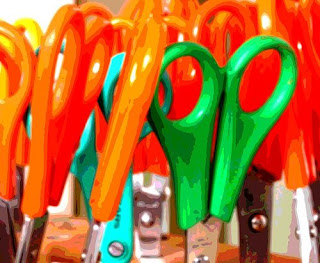
If you are not already doing this, start small and see what a difference it makes. Put all of your hair ties in one dish in your bathroom or bedroom. Nest all of your mixing bowls and keep them on one shelf. Find all the places you have batteries stashed around your house and put them together in one bag or box in a closet or drawer. The next time your reading lamp burns out its bulb, you'll know exactly where to find the appropriate replacement, since it has been stored along with the rest of the back-up bulbs. (I keep mine in an upright bag under the kitchen sink.)
Keeping like items together makes finding things easier and saves you time, since if there is only one place to look for spatulas, if there aren't any in that spot, it means you need to do some dishes, not that you need to keep looking in every drawer until you stumble across one. It also saves time when you are putting things away, since the decision of where to put things has already been made. It takes the guess work out of cleaning up, since there is only one place CDs belong and only one home for loose change.
There are only a couple of exceptions to the keep like things together rule. Scissors, I find, come in handy in nearly every room of the house, so I keep a pair in my kitchen, one on my desk top and one in my top desk drawer, a pair in the bathroom drawer and another in my bedside table. Tissue boxes and trash cans should have homes in nearly every room as well. I like to keep an emory board in my bathroom drawer, purse, desk drawer and bedside table drawer.
Creative Commons photo posted to flickr by visulogik
Tuesday, May 26, 2009
Tips and Tools: Teleseminars
On Friday I participated in a free teleseminar with Jason Womack, a workplace performance coach and former teacher of mine. The teleseminar was about goal setting and I found it to be very informative and inspirational. Free teleseminars are one of the great products of the Internet age—phone calls organized and publicized on the web that don’t cost anything to listen to except for 30-60 minutes of your life and cell phone minutes. (Just make sure that the seminar you have signed up for is really free—some are for pay and can cost hundreds of dollars!)

Teleseminars are sort of like live podcasts that you can interact with your fellow listeners on, by asking questions and commenting during and after the call. People do them for free as a way to publicize their paid content and services. They are offered in a variety of fields, and they can be a great way to audition a person or business if you have been thinking about paying for their services, or a great free way to get a little exposure to a new concept, strategy or field. I try to listen in on business/entrepreneurship and organizing-oriented teleseminars as often as I can.
One of the things brought up in Friday’s seminar was the idea of dedicating a portion of your workspace to being electronics-free and spending multiple work chunks in that space, unplugged, working on whatever project is most important to you. The project might be related to your business, or could be a new idea or a creative project you are trying to finish. Spending time without a phone, computer and PDA at your fingertips is almost an alien concept these days, and trying to actually accomplish work without these modern tools seems impossible. However, a lot of work is done by thinking, drawing, visualizing, writing (by hand), journaling or meditating. Mr. Womack suggests spending five 20-40 minute work chunks on your project in this new workspace and see what happens. Does is work for you? Are you freer to imagine and create? Do you want to make this a permanent part of your practice?
Tips for attending teleseminars:
- Make sure you have the call information and call in a few minutes before the start time
- Make sure you are calling in at the right time—the moderator usually specifies Eastern or Pacific time
- Have lots of paper and a pen, or be in front of a word processing program on your computer so you can take notes
- Listen in with a hands-free ear piece to make note taking more comfortable
- Mute yourself—the call moderator might not mute the listeners, so mute yourself by pressing *6 on your phone so your background noise won’t be heard
- Don’t be afraid to speak up during the question and answer portion—get the most out of the call you can!
Do you listen to teleseminars? What have you learned from them? Share in the comments. Visit Jason Womack's blog and learn about leadership coaching at the Ojai Institute.
Creative Commons Cisco Conference Station photo posted to flickr by Andres Rueda
Wednesday, May 20, 2009
Tips and Tools: To do list
The to do list is one of the most elementary organizing tools. My family and friends will tell you that I’ve been making them practically since I learned how to write! My brain loves that if I can write something down that I need or want to do or think about later, then that means I don’t have to use up valuable brain power remembering it.
The content of my to do lists has evolved over the years, but I still use the same system: take a piece of scrap paper, get a pen, write stuff down, cross it off when I’m done.
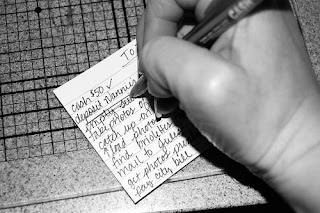
I now also use the Stickies program on my iMac. Stickies are great because they automatically save, so you can’t lose your work if the power goes out, and you don’t have to take the time to press command-s every five minutes or after something changes. I also like the program because you can keep it open all the time and visually see the notes you have on your desktop. You can choose different colors and minimize them or expand them at will.
I keep a revolving list of medium- to long-term things at the top of my Stickies note, then a daily list below. Often I’ll have two or three days on there, so I can plan ahead to do smaller tasks. The electronic to do list makes it easy for me to add repetitive tasks with a simple copy and paste, it also makes it easy to add more information, such as a link to a map I might need to get to an appointment, that I can simply delete later.
When I’m not at my computer, though, I stick to the old standby, a piece of scratch paper or an index card that I can slip in my purse and take with me.
The to do list is free, simple and works.
Creative Commons to do list photo posted to flickr by tracitodd
Subscribe to:
Posts (Atom)


