 |
| Last year's awards volunteers - see me on the upper right? |
Showing posts with label paperless. Show all posts
Showing posts with label paperless. Show all posts
Monday, June 25, 2012
Nominations open for the Organizing Awards!
Nominations are now open for the 2012 Organizing Awards, which are being held October 20 in Los Angeles. You can nominate your favorite products and businesses in 24 categories, six of which are new for this year. To nominate, visit the NAPO-LA website. Among the new categories are Best Organizing Mobile App and Best Paperless/Electronic Organizer, which I think are pretty exciting additions. Nominations close July 27.
Last year I participated in the planning of the awards as the PR/Marketing Committee head, as well as in other areas. It was an extremely fun night, and a great networking opportunity. My participation in this year's planning is more limited, but I will be following the nominating and voting process and plan to attend the awards in October.

Monday, February 27, 2012
5 easy ways to get your inbox to zero
I'm constantly striving to have my unread emails total 0. It happens every day, but it takes daily upkeep. Here are five ways to make it easier to keep those unread emails at bay:

- Unsubscribe, unsubscribe, unsubscribe. Anytime you find yourself deleting or archiving a newsletter or advertisement without opening it, take two seconds, open it and scroll to the bottom where there will be an unsubscribe link. Sometimes it's clearer than others where to click, but doing so and following whatever prompts appear will stop those types of emails from landing in your inbox in the first place.
- Filter. You might want to keep statement notices, certain newsletters or list serve digests for future reference or reading, but you don't want them cluttering up your inbox until then. Set up a filter to label them and have them skip your inbox and go straight to a folder for later.
- Post something like "No need to respond" at the bottoms of emails you send out that really don't require a response.
- Belong to a Yahoo Group or other list serves? Consider setting up a filter (#2) or switching your membership to a daily or weekly digest of email instead of receiving every message as it gets posted.
- Turn off or reduce email notifications on your social networking sites liked LinkedIn or Goodreads. Do you really need to be notified about what your friends are reading every day or week? If you cared, you'd be on the sites and interacting there.
Tuesday, February 14, 2012
The Plunge
Earlier this month I gave a workshop titled Take the Paperless Plunge to almost 30 professional organizers. The workshop covered everything from the history of the paperless movement to the features of some of the top of the line scanners out there. It was so much fun adapting my paperless office workshop for a professional organizer audience, and I was amazed at the insightful questions and comments that the attendees shared throughout the workshop. There were both experienced and novice organizers present, and within that group a mix of comfort levels regarding both paperless organizing and the technology that paperless organizing usually entails.
The three hours I had been allotted went by way too quickly, so I felt that I had much left to share at the end of the session, but we packed a lot in and spent a lot of time in dialogue, which was important.
The workshop was made possible by the Professional Organizers Learning Academy (POLA) committee of NAPO-LA, and in particular I want to thank Jean Furuya, who is known throughout the professional organizing community for her commitment to education and tireless good cheer and helpfulness.
I'm not sure when the next time I'll be presenting a workshop will be, but I'll keep you posted right here on the blog and via my newsletter, Lelah's News, which you should sign up for now!
The three hours I had been allotted went by way too quickly, so I felt that I had much left to share at the end of the session, but we packed a lot in and spent a lot of time in dialogue, which was important.
The workshop was made possible by the Professional Organizers Learning Academy (POLA) committee of NAPO-LA, and in particular I want to thank Jean Furuya, who is known throughout the professional organizing community for her commitment to education and tireless good cheer and helpfulness.
I'm not sure when the next time I'll be presenting a workshop will be, but I'll keep you posted right here on the blog and via my newsletter, Lelah's News, which you should sign up for now!
Friday, January 20, 2012
Paperless tips
Here are a few paperless tips in preparation for my paperless organizing workshop, Take the Paperless Plunge, which I'm teaching Saturday, February 4, in Sherman Oaks, CA, through the Professional Organizer's Learning Academy of NAPO-LA.


- Don't have time to enter a business card into your contacts, but don't want to keep the card around until you do? Take a snapshot of it with your digital camera or the camera on your mobile device and save it to Evernote, or extract the data later at your convenience.
- Getting too many catalogs in the mail? Catalog Choice is a free service that can help you easily unsubscribe from catalogs.
- Paperless doesn't have to mean high-tech. Stop printing things. It will make a huge difference.
Call Lelah at 818.269.6671
or email lelah@lelahwithanh.com
Get Lelah's News
Friday, January 6, 2012
What's so great about Evernote?
I just did a search of this blog and realized that I've never blogged about Evernote, except for this brief mention. That changes today.

I'm going to quote from their website in order to set the stage, then just outline why I think Evernote is an indespensible tool.

I now use it for all of my to-do lists and lists in general, instead of Stickies, because Evernote syncs seamlessly, instantly and without having to do anything between my desktop and mobile device. I keep it open all the time and use it daily and have never gone over my free monthly quota, but I'm thinking of upgrading to a Pro account just because I like it so much ($5/month).
I rarely use the tags feature because their search function works so well; it always finds what I am looking for even if I have the merest of keywords to go on. I can scan anything directly from my ScanSnap S1500 to Evernote without having to go through middleman software or save screens.
I will be honest--it took me a couple of years to really start using Evernote consistently. Before I'd use a combination of saving PDFS, scans, Delicious bookmarks, etc. But when I did, it was like a door opened to more productivity-and I was pretty productive before!
Anyway, that's enough gushing for now. Let me know if you have specific questions about how to make Evernote work for you!
Creative Commons photo of pears posted to Flickr by Emilian Robert Vicol
I'm going to quote from their website in order to set the stage, then just outline why I think Evernote is an indespensible tool.
Our goal at Evernote is to give everyone the ability to easily capture any moment, idea, inspiration, or experience whenever they want using whichever device or platform they find most convenient, and then to make all of that information easy to find.I use Evernote on my desktop computer and my mobile tablet. I capture recipes, articles, craft ideas, photos, lists, gift ideas, maps, products, things I find funny and things I find inspiring. I capture anything I think I might want to remember or access when I'm out and about, like the name of that wine I got one time that I really liked or a list of the kinds of pears my husband likes and the kinds he doesn't like.

I now use it for all of my to-do lists and lists in general, instead of Stickies, because Evernote syncs seamlessly, instantly and without having to do anything between my desktop and mobile device. I keep it open all the time and use it daily and have never gone over my free monthly quota, but I'm thinking of upgrading to a Pro account just because I like it so much ($5/month).
I rarely use the tags feature because their search function works so well; it always finds what I am looking for even if I have the merest of keywords to go on. I can scan anything directly from my ScanSnap S1500 to Evernote without having to go through middleman software or save screens.
I will be honest--it took me a couple of years to really start using Evernote consistently. Before I'd use a combination of saving PDFS, scans, Delicious bookmarks, etc. But when I did, it was like a door opened to more productivity-and I was pretty productive before!
Anyway, that's enough gushing for now. Let me know if you have specific questions about how to make Evernote work for you!
Creative Commons photo of pears posted to Flickr by Emilian Robert Vicol
Want help setting up your Evernote account?
Call Lelah at 818.269.6671
or email lelah@lelahwithanh.com
Get Lelah's News
Wednesday, January 4, 2012
Take the Paperless Plunge
Registration is now open for my 3-hour workshop Take the Paperless Plunge! The Professional Organizer's Learning Academy is hosting the event through the National Association of Professional Organizers Los Angeles chapter. I'm so excited to have this opportunity to share my knowledge about paperless organization. The workshop is geared toward professional organizers and how they can use paperless organizing techniques to streamline their own business and also how to cultivate their paperless organizing skills in order to be able to offer paperless organizing to their clients. Though professional organizers are the target audience, the workshop is open to the public.
This workshop is being offered in conjunction with Dolores Kaytes's amazing filing workshop which I have personally taken twice and think is a must-attend for any organizer. Attendees may register for one or both workshops.

In addition to the fabulous content, as an added incentive to register, all attendees of my workshop will be entered into a drawing to win one of several amazing prizes including a ScanSnap scanner!
Registration is available on the NAPO-LA website.
For more details, call or email me at 818-269-6671/lelah@lelahwithanh.com
This workshop is being offered in conjunction with Dolores Kaytes's amazing filing workshop which I have personally taken twice and think is a must-attend for any organizer. Attendees may register for one or both workshops.
In addition to the fabulous content, as an added incentive to register, all attendees of my workshop will be entered into a drawing to win one of several amazing prizes including a ScanSnap scanner!
| WHEN: | Saturday, February 4, 2012 | ||||||
| TAKE THE PAPERLESS PLUNGE: | 1 PM to 4 PM | ||||||
| WHERE: | Leeza’s Place, 5000 Van Nuys Blvd., Suite #110, Sherman Oaks, CA 91403 | ||||||
| PARKING: | Parking is free. Garage entrance is on Addison St. | ||||||
| COST: |
| ||||||
| |||||||
| Note: Add $15 to any registration fee received after January 25, 2012 |
Registration is available on the NAPO-LA website.
For more details, call or email me at 818-269-6671/lelah@lelahwithanh.com
Tuesday, December 20, 2011
Paperless reminder: download your statements
As the end of 2011 draws close, here's a reminder for everyone who has even one paperless statement set up for their bank, utilities, credit card or other bills and services: don't forget to download the past 12 month's worth of statements from each place you do business and save them as PDFs to your computer (and then back them up on your external hard drive or cloud back up system!).
Many companies will only allow a year's worth of statements to be acessed for free electronically, and it is your responsbility to go to each company's site and download the information. This step is critical if you need the information on the statements in order to complete your taxes and you will need the statements themselves as back ups in case you are audited. Of course, I am not a legal or tax professional, so if you have any questions about what statements you need and how long you need to keep them, I urge you to consult your own advisors. But the beauty of simply downloading statements as PDFs is they are already in a handy electronic form that takes up no physical space and can be easily searched by your computer's search function.
So, download, save and back up!
Many companies will only allow a year's worth of statements to be acessed for free electronically, and it is your responsbility to go to each company's site and download the information. This step is critical if you need the information on the statements in order to complete your taxes and you will need the statements themselves as back ups in case you are audited. Of course, I am not a legal or tax professional, so if you have any questions about what statements you need and how long you need to keep them, I urge you to consult your own advisors. But the beauty of simply downloading statements as PDFs is they are already in a handy electronic form that takes up no physical space and can be easily searched by your computer's search function.
So, download, save and back up!
Get more help setting up paperless billing and outsource the download step to a professional organizer!
Call Lelah at 818.269.6671
or email lelah@lelahwithanh.com
Get Lelah's News
Monday, December 5, 2011
Gifts for people going paperless
Over the last week or so I've gotten a lot of requests for advice about scanners, which made me think about the best gifts to get for people who have expressed the desire to go paperless. Since going more paper-free myself, I've inspired others in my family to shed their paper files and embrace their digital ones. If you know someone who is trying to do the same thing, here are some gift ideas:

- A scanner. You can't go wrong with the Fujitsu ScanSnap series. I have the S1500M (for Macs) and love the scan quality, user interface and software. Mine is the top-end desktop feed scanner, but for more portability the S1300 or S1100 are great, too.
- The Paperless Document Organization Guide from DocumentSnap. DocumentSnap is a website for all things paperless, and they have some helpful information products to help you jump start your paperless journey. I was interviewed for the guide and think their content is great!
- An external hard drive. Anything over 500GB will be lots of extra storage space to help someone backup their digital data safely and regularly.
- If they have a mobile device, credit at their app store of choice. Droid or PC tablet users might want an Amazon credit or credit at the Android Market. iPhone or iPad owners can always use iTunes credit to use at the App Store. This will allow them to experiment with new productivity/paperless apps like Bento, Pages, Evernote, Remember the Milk, Things, etc. which often cost money.
Need more expertise on how to go paperless?
Call Lelah at 818.269.6671
or email lelah@lelahwithanh.com
Get Lelah's News
Tuesday, October 18, 2011
Poll #7: Scanners
I have a few different ways to scan paper. I just got a brand-new, shiny and wonderful ScanSnap S1500M scanner. It's a desktop feed scanner that zips through my to scan pile with ease and whose software makes it simple to label and categorize my newly created files. I've been using a Neat Desk for a while. It's a similar desktop scanner, with a different software interface that is useful if you want to keep detailed track of your receipts, but it works great as a document scanner, too. I also have my trusty, eight-year-old, all-in-one printer that has a flatbed scanner option. This is what I used for years before I got my cool feed scanners, and it still works great--especially if you need to scan something too thick to pass through the feeder on the other scanners, like a passport or credit card.
The ScanSnap's quality and user interface are more in line with the type of scanning I do, so I have a feeling my Neat is going to become obsolete. The scanner function on my printer will also be useful from time to time, and since I need the printer anyway, it doesn't bother me to keep them both on my desk.
Now, what do my readers use to scan? Several of you also have a ScanSnap and/or a Neat. 40% of respondents said they have a ScanSnap and 20% said they have a Neat. 40% also said they have a flatbed, but by far the most (60%) said they use their all-in-one printer to scan. No one said they don't have a scanner, which is interesting. In this day of sending fewer faxes and more emails, scanning is often the only way to get someone information electronically. However, since most printers have this function, there isn't a need to go out and purchase a separate scanner unless one is doing a lot of scanning, frequently, such as for a business or large household, or if you are striving for a paperless lifestyle. Scanners can give you more flexibility to get rid of paper.
 |
| My ScanSnap being unwrapped for the first time. |
Now, what do my readers use to scan? Several of you also have a ScanSnap and/or a Neat. 40% of respondents said they have a ScanSnap and 20% said they have a Neat. 40% also said they have a flatbed, but by far the most (60%) said they use their all-in-one printer to scan. No one said they don't have a scanner, which is interesting. In this day of sending fewer faxes and more emails, scanning is often the only way to get someone information electronically. However, since most printers have this function, there isn't a need to go out and purchase a separate scanner unless one is doing a lot of scanning, frequently, such as for a business or large household, or if you are striving for a paperless lifestyle. Scanners can give you more flexibility to get rid of paper.
Need a professional?
Call Lelah at 818.269.6671
or email lelah@lelahwithanh.com
Get Lelah's News
Wednesday, August 31, 2011
What does paperless really mean?
When we say we're "going paperless," what does that really mean? It certainly doesn't mean that we'll never touch another piece of paper again in our lives. It also doesn't mean that a person who wants to be less bogged down by paper doesn't enjoy paper in certain situations. Being paperless, like being organized, is not an absolute destination, but something to work toward and use as a tool to live a simpler life.

To me, paperless means not printing stuff unless it's absolutely necessary, including recipes, directions and especially emails.
It means asking people to send me information electronically rather than hand me a piece of paper with the information on it.
It means reducing my paper mail by signing up for paperless statements and bills and taking myself off catalog and junk mail lists.
It means thinking twice before picking up a piece of literature or a business card.
It can mean lots of other things, but those are good start. What does paperless mean to you?
Creative Commons photo posted to Flickr by Bert 23

To me, paperless means not printing stuff unless it's absolutely necessary, including recipes, directions and especially emails.
It means asking people to send me information electronically rather than hand me a piece of paper with the information on it.
It means reducing my paper mail by signing up for paperless statements and bills and taking myself off catalog and junk mail lists.
It means thinking twice before picking up a piece of literature or a business card.
It can mean lots of other things, but those are good start. What does paperless mean to you?
Creative Commons photo posted to Flickr by Bert 23
Lelah Baker-Rabe is a Los Angeles-based professional organizer. To discuss your organizing needs, call her at 818.269.6671 or email lelah@lelahwithanh.com. Sign up for Lelah's News, a once-monthly newsletter.
Tuesday, May 24, 2011
Your paperless business
Today I'm honored to be a guest blogger at Janet Barclay's excellent Your Organizing Business, a blog primarily directed at professional organizers. My post is on the reasons for moving one's business paperless. Click over to read how it can help propel a business forward!
Lelah Baker-Rabe is a Los Angeles-based professional organizer. To discuss your organizing needs, call her at 818.269.6671 or email lelah@lelahwithanh.com. Sign up for Lelah's News, a once-monthly newsletter.
Wednesday, April 13, 2011
DocumentSnap's Paperless Document Organization Guide
There is a great website out there called DocumentSnap, run by Brooks Duncan, that is a one-stop-shop for all things paperless, such as scanner reviews and free tips and tools. Brooks interviewed me as part of his new product, the Paperless Document Organization Guide. The guide is meant to answer "now that I’ve scanned my documents, what the heck do I do with them so that I can find them again?" A few professional organizers, including me, were asked to be a part of this cool information product. If you want some motivation and encouragement for getting started on a paperless path, I encourage you to check it out.

I had an awesome time talking with Brooks (though if you listen to my interview, I was recovering from a cold and sound pretty gravelly) and sharing my insights into what makes a paperless system trustworthy and workable on a day-to-day level.
I truly believe that a (mostly) paperless lifestyle is the future and that we now have tools to make it possible that didn't exist for the consumer even a couple of years ago. It's an exciting time!
Lelah Baker-Rabe is a Los Angeles-based professional organizer. To discuss your organizing needs, call her at 818.269.6671 or email lelah@lelahwithanh.com

I had an awesome time talking with Brooks (though if you listen to my interview, I was recovering from a cold and sound pretty gravelly) and sharing my insights into what makes a paperless system trustworthy and workable on a day-to-day level.
I truly believe that a (mostly) paperless lifestyle is the future and that we now have tools to make it possible that didn't exist for the consumer even a couple of years ago. It's an exciting time!
Lelah Baker-Rabe is a Los Angeles-based professional organizer. To discuss your organizing needs, call her at 818.269.6671 or email lelah@lelahwithanh.com
Friday, March 18, 2011
Reviewed: Shoeboxed
Shoeboxed is a web-based company whose website encourages you to "take the work out of paperwork" by letting Shoeboxed take care of all your scanning needs. You pay a monthly fee and you send documents, receipts and business cards to Shoeboxed in North Carolina, and they scan them and import both the scanned image of the piece of paper and extract the information on that paper into a database of contacts, receipts or documents for you.
I'd heard of Shoeboxed for years, but had never tried their service until I took a paperless office webinar with San Francisco-based professional organizer Joshua Zerkel, in association with Shoeboxed. He explained how the service works and participants were invited to do a free trial.

Since I'm interested in all things paperless, I wanted to see how the service worked first hand. I signed up for the free trial and sent in about 50 business cards. I have a desktop scanner, and I've found that with business cards, the scanning part takes seconds, but then going in and adjusting the fields in the software to accurately show the data on the business cards can be time consuming. I thought if I could avoid that, it would be great. It took about 4 days for them to receive the envelope in the mail, and slightly over 2 weeks for them to process the batch of business cards. I thought I had read somewhere that it would 5 days to process the items once they received them, but I wasn't really in a hurry. Once they notified me that my business cards had been processed, I visited the website to check out the results.
I was really impressed. The information they extracted was complete and easily exportable. The scanned images of the cards were clear. That was important to me as I often write notes on a card to remind me when and where I met the person who gave it to me. Best of all, I realized I had all this valuable information digitally and I didn't really have to do anything. Sure, I had to collect the cards and take them to the post office, probably 15 minutes of prep time. But if I had attempted to use my desktop scanner, it would have been easily an hour of following up to make sure the data on the cards was all imported correctly.
In short, so far I'm a fan of Shoeboxed. I even signed up to be an affiliate for them, so if you use one of my Shoeboxed links to sign up for the service, I will get a small commission.
A few more notes: they have different plans you can join at. I joined with the "Lite" (ie: cheapest) plan, because the volume of things I have to scan is not that heavy, and I also have a desktop scanner that works well for me when scanning documents. I'll probably use Shoeboxed mostly for business cards (I collect a lot from various networking events). However, I'd recommend if you are interested you join at the "Classic"or "Business" level, and that you sign up for a year as you can save money that way. They provide you with prepaid envelopes and they will return your hard copies to you after they have scanned them -- if you want. I recommend that once you get your papers scanned, just let them shred the hard copies (your only option with the Lite plan).
If you have more questions about Shoeboxed, let me know!
Lelah Baker-Rabe is a Los Angeles-based professional organizer. To discuss your organizing needs, call her at 818.269.6671 or email lelah@lelahwithanh.com
is a web-based company whose website encourages you to "take the work out of paperwork" by letting Shoeboxed take care of all your scanning needs. You pay a monthly fee and you send documents, receipts and business cards to Shoeboxed in North Carolina, and they scan them and import both the scanned image of the piece of paper and extract the information on that paper into a database of contacts, receipts or documents for you.I'd heard of Shoeboxed for years, but had never tried their service until I took a paperless office webinar with San Francisco-based professional organizer Joshua Zerkel, in association with Shoeboxed. He explained how the service works and participants were invited to do a free trial.
Since I'm interested in all things paperless, I wanted to see how the service worked first hand. I signed up for the free trial and sent in about 50 business cards. I have a desktop scanner, and I've found that with business cards, the scanning part takes seconds, but then going in and adjusting the fields in the software to accurately show the data on the business cards can be time consuming. I thought if I could avoid that, it would be great. It took about 4 days for them to receive the envelope in the mail, and slightly over 2 weeks for them to process the batch of business cards. I thought I had read somewhere that it would 5 days to process the items once they received them, but I wasn't really in a hurry. Once they notified me that my business cards had been processed, I visited the website to check out the results.
 |
| A view of one of my contacts. |
In short, so far I'm a fan of Shoeboxed. I even signed up to be an affiliate for them, so if you use one of my Shoeboxed links
to sign up for the service, I will get a small commission.A few more notes: they have different plans you can join at. I joined with the "Lite" (ie: cheapest) plan, because the volume of things I have to scan is not that heavy, and I also have a desktop scanner that works well for me when scanning documents. I'll probably use Shoeboxed mostly for business cards (I collect a lot from various networking events). However, I'd recommend if you are interested you join at the "Classic"or "Business" level, and that you sign up for a year as you can save money that way. They provide you with prepaid envelopes and they will return your hard copies to you after they have scanned them -- if you want. I recommend that once you get your papers scanned, just let them shred the hard copies (your only option with the Lite plan).
If you have more questions about Shoeboxed, let me know!
Lelah Baker-Rabe is a Los Angeles-based professional organizer. To discuss your organizing needs, call her at 818.269.6671 or email lelah@lelahwithanh.com
Thursday, February 24, 2011
March 2011 Upcoming Events
SoCal business owners, professional organizers and anyone who wants to help themselves out of a destructive relationship with paper, here are some upcoming events you should be aware of.
Tuesday, March 8, 2011 5:30pm - 7:30pm
at Bokado in Studio City
Free! Biznik business mixer hosted by Lelah Baker-Rabe
Sign up for Biznik and RSVP at
http://biznik.com/members/lelah-baker-rabe/events/the-san-fernando-valley-networking-mixer-1st-anniversary
Saturday, March 12, 2011 9am - 12pm
at my paperless office in Glendale
$75 The (Almost) Paperless Office Workshop
Registration form online at http://www.lelahwithanh.com/paperless/
Sign up for my newsletter (published 1-2 times a month) here.

Creative Commons photo posted to Flickr by Divya Thakur
Lelah Baker-Rabe is a Los Angeles-based professional organizer. To discuss your organizing needs, call her at 818.269.6671 or email lelah@lelahwithanh.com
Tuesday, March 8, 2011 5:30pm - 7:30pm
at Bokado in Studio City
Free! Biznik business mixer hosted by Lelah Baker-Rabe
Sign up for Biznik and RSVP at
http://biznik.com/members/lelah-baker-rabe/events/the-san-fernando-valley-networking-mixer-1st-anniversary
Saturday, March 12, 2011 9am - 12pm
at my paperless office in Glendale
$75 The (Almost) Paperless Office Workshop
Registration form online at http://www.lelahwithanh.com/paperless/
Sign up for my newsletter (published 1-2 times a month) here.

Creative Commons photo posted to Flickr by Divya Thakur
Lelah Baker-Rabe is a Los Angeles-based professional organizer. To discuss your organizing needs, call her at 818.269.6671 or email lelah@lelahwithanh.com
Thursday, February 17, 2011
Upcoming workshop: March 12th, go paperless
I'm teaching a workshop. If you live in Southern California and would like to get detailed and inspiring instruction on how to get away from the tyranny of paper, come learn in person!
March 12, 2011
Are you drowning in paper, do you lust after a high tech scanner, did you think that getting an iPhone would help reduce the amount of paper piling up on your desk? Do you want to increase your productivity in the office and decrease the time you spend wrestling with paper piles?
The dream of the paperless office has been around for a while, but how many of us have been able to achieve it? Lelah Baker-Rabe, professional organizer and expert in both paper and digital clutter control, will teach you how to make the paperless office a reality with a comprehensive three hour workshop designed for the technology beginner or intermediate who wants to make the transition to a life independent of paper.
This workshop will do more than help you figure out what paper can stay and what can go. It will help you stop paper clutter in the future, and will help you avoid trading paper clutter for electronic clutter. You can go paperless without going completely high tech and Lelah will show you how.
Why almost paperless? Some of us still enjoy paper. It's okay to be mainly paperless and still use paper. After this workshop, paper will no longer be an enemy, it will be another tool in your organization toolbox!
Less paper. More life.
Saturday, March 12, 2011
9 a.m. to 12 p.m.
At Lelah's own (almost) paperless office
Glendale, CA
$75. Space is limited.
Register by March 10, 2011.**
**Register by March 1st and bring a box of stuff to shred - Lelah will shred it for free!**
Monday, February 7, 2011
The NeatDesk
There were some really exciting raffle prizes at the Gala Industry Exchange portion of the 2011 Los Angeles Organizing Awards. I was lucky enough (and bought enough raffle tickets) to walk away with a NeatDesk scanner from The Neat Company. I finally got it set up this weekend, as my computer had been in to MacEnthusiasts (which has the nicest people you will ever find at a Mac repair place in Los Angeles) for a checkup.

The NeatDesk is a small scanning unit that you use with the NeatWorks software. The scanner can take up to 15 normal sheets of paper, 15 receipts, and 15 business cards at once, or you can take out the receipt/business cards tray and it can take up to 50 sheets of paper. My initial thoughts after completing the straightforward set up and trying it out, are wow-it works so fast, and wow-it auto-populates well.
The system works to archive your paper, as well as make the information on your paper searchable and easily retrievable through its simple file structure. I love when you start using a new system and everything is clean and you can set it up from the ground floor exactly how you want it. The scanner takes the sheets and spits them out quite rapidly, then the software catches up and reads the scan, deciding what kind of item it is and pulling as much information as possible to populate the various data boxes that are associated with each item. For instance, it will try to find the work phone number on a business card and put it into the work phone number slot, and then you can update your Mac Address Book with the new information, tying Address Book entries to business cards you've scanned.
As I try to minimize the amount of paper I have to keep around, I do a fair amount of scanning. I can see that the NeatDesk is already replacing my flatbed scanner. What is yet to be determined is if I'll end up using it to archive stuff I already have a system for, for instance, converting my business card binder from the physical to the electronic. I can usually find a card I want pretty easily, but the NeatDesk would make such light work of the conversion process that it might be worth doing.
Lelah Baker-Rabe is a Los Angeles-based professional organizer. To discuss your organizing needs, call her at 818.269.6671 or email lelah@lelahwithanh.com

The NeatDesk is a small scanning unit that you use with the NeatWorks software. The scanner can take up to 15 normal sheets of paper, 15 receipts, and 15 business cards at once, or you can take out the receipt/business cards tray and it can take up to 50 sheets of paper. My initial thoughts after completing the straightforward set up and trying it out, are wow-it works so fast, and wow-it auto-populates well.
The system works to archive your paper, as well as make the information on your paper searchable and easily retrievable through its simple file structure. I love when you start using a new system and everything is clean and you can set it up from the ground floor exactly how you want it. The scanner takes the sheets and spits them out quite rapidly, then the software catches up and reads the scan, deciding what kind of item it is and pulling as much information as possible to populate the various data boxes that are associated with each item. For instance, it will try to find the work phone number on a business card and put it into the work phone number slot, and then you can update your Mac Address Book with the new information, tying Address Book entries to business cards you've scanned.
 |
| The scanner will make that function on my 7 year-old all-in-one printer obsolete. |
Lelah Baker-Rabe is a Los Angeles-based professional organizer. To discuss your organizing needs, call her at 818.269.6671 or email lelah@lelahwithanh.com
Thursday, December 3, 2009
Tips and Tools: Electronic information
Receiving, storing and finding information that is printed on paper is a constant struggle for all of us. Most of the problem stems from our worry that if we get rid of something, we won't be able to get it back again. Yet much of the paper we are bombarded with we are likely never going to look at or need, but we have a hard time giving ourselves permission to get rid of it for good.
It is time that many of us realize how much information there can be had online. Not only can you stop paper statements and get your billing information online, but you can access so much more. There is no reason to a keep a paper copy of something that you *think* you *might* need at some point down the line (and probably won't) if you can get it electronically on demand when that mythical day should come. I'm talking about manuals for appliances, restaurant menus, contact information for businessess, maps, directions and those fat prospectuses and quarterly reviews that investment companies send you and you never look at but feel guilty throwing away. Yeah, you can get all of that stuff online. Why use your precious resources to store these items when you can use the magic of the Internet to let someone else store it electronically? And since it's "in the cloud" you don't even have to worry about backing up the data. Plus, information changes so quickly that most of the printed stuff is out of date very quickly. When you look at a piece of paper and ask yourself if you could easily get the information on it should you need in the future and the answer is yes, send it to the recycle bin.
Lelah Baker-Rabe is a Los Angeles-based professional organizer. To discuss your organizing needs, call her at 818.269.6671 or email lelah@lelahwithanh.com
It is time that many of us realize how much information there can be had online. Not only can you stop paper statements and get your billing information online, but you can access so much more. There is no reason to a keep a paper copy of something that you *think* you *might* need at some point down the line (and probably won't) if you can get it electronically on demand when that mythical day should come. I'm talking about manuals for appliances, restaurant menus, contact information for businessess, maps, directions and those fat prospectuses and quarterly reviews that investment companies send you and you never look at but feel guilty throwing away. Yeah, you can get all of that stuff online. Why use your precious resources to store these items when you can use the magic of the Internet to let someone else store it electronically? And since it's "in the cloud" you don't even have to worry about backing up the data. Plus, information changes so quickly that most of the printed stuff is out of date very quickly. When you look at a piece of paper and ask yourself if you could easily get the information on it should you need in the future and the answer is yes, send it to the recycle bin.
Lelah Baker-Rabe is a Los Angeles-based professional organizer. To discuss your organizing needs, call her at 818.269.6671 or email lelah@lelahwithanh.com
Wednesday, October 28, 2009
Paperless billing and living simpler
Over the last few years, I have slowly switched from traditional paper bills to paperless billing, where instead of getting a piece of mail that you have to open, read, store until you are ready to pay the bill, then file instead you get an email that you have to open, log in to read, and then either go back and pay at a later date or sign up for automatic bill pay (which is extremely convenient). Aside from saving paper, as well as a money for both the service provider and you in the form of stamps, the biggest reason to choose paperless billing is to never have the dilemma of what to do with the bill after you have paid it. Most bills you will never refer to again, and knowing that you can access them online if necessary is, for most people, enough to ensure peace of mind. For those people who feel like they need more control than that, or who track their expenses far more minutely than most, you can always save electronic copies downloaded from your service provider's web site in a folder on your computer (and back it up with the rest of your files regularly).
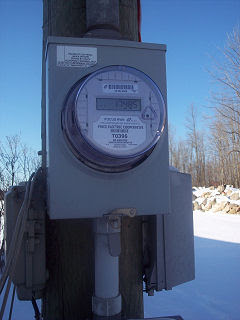
I just signed up for paperless billing from my electric company, and in the email from them thanking me for doing so, they actually touted "helping you live simpler" as a main reason for choosing paperless billing. I never thought that huge companies would be interested in helping their customers live simpler, but in this case what benefits them benefits us as well.
Creative Commons photo posted to Flickr by G & A Sattler
Lelah Baker-Rabe is a Los Angeles-based professional organizer. To discuss your organizing needs, call her at 818.269.6671 or email lelah@lelahwithanh.com
Subscribe to:
Posts (Atom)


