- Use the command key on your keyboard to select multiple notes, then merge them together, email them all at once, or move notebooks or add tags in batches.
- Create a saved search (Enter your search term, click on File, click on New Saved Search) to make a virtual smart notebook that will automatically update when you add a new note with that tag or keyword.
- Create a checklist by selecting the check box icon in the formatting toolbar of your note. Makes for a simple, interactive to-do list!
Thursday, August 2, 2012
Evernote tips
Tuesday, June 19, 2012
Four reasons to watch streaming video
"...there's no need to go out and replace our modest DVD collection with Blu-ray versions. It's all going streaming anyway, and from a clutter-control point of view, I couldn't be happier." --Lelah on this blog, January 26, 2011As more and more titles become available on video streaming services like Netflix Instant, Hulu Plus and Amazon Prime, more and more people are buying subscriptions to these services instead of investing that money in physical DVDs or even digital downloads from online stores like iTunes. Here are four reasons making that choice will make you organized:
- The content is available anywhere you have a strong internet connection. You can simply log in to your Netflix, Hulu or Amazon account to watch on a computer or device (like a PS3 hooked up to your TV or your smartphone--sometimes you have to authorize the device through their website first) and then you are free from having to carry a physical DVD or the digital file with you if you want to watch while mobile.
- The fewer DVDs in your life, the fewer shelves you have to devote to storing them, organizing them, and dusting them.
- It is easy to search these services for the show or movie you want to watch, which might save you time if your DVD collection is strewn throughout your house.
- When you get in the habit of streaming video, you realize how much more convenient it is than going out and renting a DVD or even physically putting a DVD on to play when you can simply tap at your remote or keyboard and having something playing in seconds. Therefore, you are less likely to purchase DVDs, especially on a whim, which saves you time and clutter.
Tuesday, May 15, 2012
Spring cleaning with summer in mind
Spring is well underway in southern California. We've had a good mix of rainy, mild and summer-hot days, reminding us that California indeed gets all sorts of weather, and that once May Gray and June Gloom pass us by, summer is just around the corner. Spring is a wonderful time to put your home in order before the demands of summer, when vacations and beach days and camping trips throw your routine all out of whack. Here are some of my favorite spring cleaning ideas that might not be on everyone's to do list, that will help you get a head start on summer organization.
- Clean your air conditioner vents.
- Gas heat? Turn off your pilot light until fall.
- It's never a bad time to check your smoke detector batteries.
- Consider hiring window washers to clean the outside of hard to reach windows. You'll be amazed at the difference really clean windows will make to the light in a room.
- By the same token, if you've been considering window tinting for a window or glass door that gets a lot of sun, do it now in order to fully reap the benefits all summer long.
- Go through your bathroom cabinets and toss old or unused makeup and toiletries, and any expired or nearly empty bottles of sunscreen. Replenish your stock and only buy bottles with expiration dates on them.
- Get your car road trip ready by performing any necessary maintenance and giving it a wash. Take out anything that doesn't need to live there and keep that stuff out by taking everything out of your car that you put into it - every day.
Friday, January 6, 2012
What's so great about Evernote?
I'm going to quote from their website in order to set the stage, then just outline why I think Evernote is an indespensible tool.
Our goal at Evernote is to give everyone the ability to easily capture any moment, idea, inspiration, or experience whenever they want using whichever device or platform they find most convenient, and then to make all of that information easy to find.I use Evernote on my desktop computer and my mobile tablet. I capture recipes, articles, craft ideas, photos, lists, gift ideas, maps, products, things I find funny and things I find inspiring. I capture anything I think I might want to remember or access when I'm out and about, like the name of that wine I got one time that I really liked or a list of the kinds of pears my husband likes and the kinds he doesn't like.
I now use it for all of my to-do lists and lists in general, instead of Stickies, because Evernote syncs seamlessly, instantly and without having to do anything between my desktop and mobile device. I keep it open all the time and use it daily and have never gone over my free monthly quota, but I'm thinking of upgrading to a Pro account just because I like it so much ($5/month).
I rarely use the tags feature because their search function works so well; it always finds what I am looking for even if I have the merest of keywords to go on. I can scan anything directly from my ScanSnap S1500 to Evernote without having to go through middleman software or save screens.
I will be honest--it took me a couple of years to really start using Evernote consistently. Before I'd use a combination of saving PDFS, scans, Delicious bookmarks, etc. But when I did, it was like a door opened to more productivity-and I was pretty productive before!
Anyway, that's enough gushing for now. Let me know if you have specific questions about how to make Evernote work for you!
Creative Commons photo of pears posted to Flickr by Emilian Robert Vicol
Monday, October 10, 2011
Things I love about Apple
- They boot up quickly
- They look nice
- Hard drives are easy to navigate
- The way things look on screens is beautiful
- There's less after-market software and hardware, so to find products and solutions you don't have to wade through a million similar products
- Buying products from the Apple store is generally a satisfying experience: lots of helpful people who want to get you into the right product and will find the answer to any question you might have, and I love that you can buy from anyone anywhere in the store
- Apple programs I like: Pages, Numbers, Bento, iCal, Preview, Stickies
Things I don't love about Apple products:
- Their mice are not robust. I use a Microsoft mouse with a hearty scroll wheel.
- Apple programs I don't like: iPhoto, iTunes, iMovie
- That's all I can think of...
Wednesday, September 28, 2011
Multiplying and moving
While I can't (or, rather, don't want to) imagine the logistics of such a move: packing, labeling, moving, unpacking, plus the added bonus of figuring out a new city, figuring out new doctors and a new plan for where you're actually giving birth, I have thought of a few tips that might make the whole process a tad more organized. These two friends are inherently organized people, so they likely don't need these tips, but I felt it was the least I could do. Roslyn and Megan, this post is for you:
- Ask for help. Being pregnant is a perfect time to recognize your limits and engage your family, friends and village to help make this life transition easier.
- Make lots of lists. Lists have a calming effect and help you capture ideas and to-dos that might be in your head one minute and out the next.
- Try to take it one step at a time. If possible, do a chunk of packing every day and a chunk of planning and preparation every day.
- Install some support people at the receiving end. Line up family or friends to meet you at the new location to help you settle in. You'll be exhausted by the time you get there and facing a houseful of boxes might be overwhelming.
- Get a lot of rest, if possible. Things will seem more manageable if you're rested.
Creative Commons photo posted to Flickr by awnisALAN
Thursday, September 22, 2011
Poll #5: Planning for the holidays
- Find out how the people you tend to spend holidays with are feeling about travel and hosting. Figuring out where you might be on the major holidays is a big first step. Then you can make travel, lodging and time-off arrangements.
- Focus on the early fall holidays, like Rosh Hashanah or even Halloween, so you can feel some of that holiday spirit without getting too far ahead of yourself.
- Make lists. Lists are a good way to order your thoughts, but you don't have to act on them right away. Lists I've already begun: Halloween card recipients, menu ideas for Thanksgiving and Christmas gift ideas.
Creative Commons photo posted to Flickr by nao.k
Tuesday, September 20, 2011
How to make grocery shopping less of a chore
Now I live about an eighth of a mile from a medium-sized supermarket, five minutes from Trader Joe's, with a Whole Foods smack in between, and shopping threatens to become more of a chore than it should be. I still live by my list, but the problem is that I often have to go to at least two of those stores on any given trip in order to cross everything off. So I've tweaked my shopping style and have a few tips to help make the process more enjoyable:
- I keep a running list of items needed, then before I plan to go to the store, I check all the recipes I intend to make in the coming week and fill the list with needed items. I do a quick walkthrough of the house to make sure I'm not forgetting something like toothpaste. This cuts down on forgetting anything and decreases the frequency I need to shop.
- I've pretty much given up on coupons, unless I happen to come across one that is for something I already buy and use. I find that if it is for something I use, but a different brand, then the savings the coupon represents still don't make up for the price difference against the brand I usually buy, so I'm not really saving money. I also don't have to worry about remembering to take them with me or pull them out at checkout.
- Of course, I always bring my own bags. Remembering to do this every time is a point of pride with me, and I prefer my own sturdy and pretty bags to disposable ones anyway.
- I bring a bottle of water and stay hydrated. Especially if I'm going from store to store, I always get thirsty walking around with a cart, and drinking water helps me feel better and cuts down on impulse buys like expensive smoothie-type drinks.
- I try to time my shopping so when I arrive home laden with bags, my husband is home and available to help me unload. We live up two steep flights of stairs, and while the exercise is good, it's also nice to share the load.
- I stock up on dry staples wherever I can, so sometimes I can get away with a short, light shopping trip one week (fruits, veggies, milk) alternated with a staple-heavy trip the next.
Monday, March 28, 2011
Anthony Bourdain on lists
I'm a list fanatic. Write it down on a list, I believe, and there is far less chance that you will ever find yourself beginning a sentence with the pathetic excuse, "Sorry...I forgot to..."
The very process of writing a list clarifies and focuses the mind.I love the phrasing...lists really do clarify and focus the mind on what's important. The power of the list cannot be overestimated, I feel.
Lelah Baker-Rabe is a Los Angeles-based professional organizer. To discuss your organizing needs, call her at 818.269.6671 or email lelah@lelahwithanh.com
Tuesday, July 27, 2010
My reading list: Summer 2010
I'm in the middle of a fascinating book on change called Switch: How to change things when change is hard
My family knows me well, and I received two early birthday presents in the form of cookbooks. One is The French Laundry
Finally, for fiction lovers, this month in my book club we read Memoirs of a Geisha
Got any recommendations for me? What have you been reading this summer?
Lelah Baker-Rabe is a Los Angeles-based professional organizer. To discuss your organizing needs, call her at 818.269.6671 or email lelah@lelahwithanh.com
Note: The links on the book titles will take you to Amazon.com; if you buy something, I will receive a small percentage in affiliate fees.
Thursday, May 20, 2010
A year ago: color-coded to-do lists and photos!
Wednesday, May 20, 2009
Tips and Tools: To do list
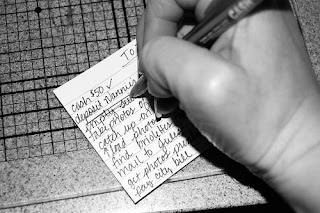
The to do list is one of the most elementary organizing tools. My family and friends will tell you that I’ve been making them practically since I learned how to write! My brain loves that if I can write something down that I need or want to do or think about later, then that means I don’t have to use up valuable brain power remembering it.
The content of my to do lists has evolved over the years, but I still use the same system: take a piece of scrap paper, get a pen, write stuff down, cross it off when I’m done.

I now also use the Stickies program on my iMac. Stickies are great because they automatically save, so you can’t lose your work if the power goes out, and you don’t have to take the time to press command-s every five minutes or after something changes. I also like the program because you can keep it open all the time and visually see the notes you have on your desktop. You can choose different colors and minimize them or expand them at will.
I keep a revolving list of medium- to long-term things at the top of my Stickies note, then a daily list below. Often I’ll have two or three days on there, so I can plan ahead to do smaller tasks. The electronic to do list makes it easy for me to add repetitive tasks with a simple copy and paste, it also makes it easy to add more information, such as a link to a map I might need to get to an appointment, that I can simply delete later.
When I’m not at my computer, though, I stick to the old standby, a piece of scratch paper or an index card that I can slip in my purse and take with me.
The to do list is free, simple and works.
Creative Commons to do list photo posted to flickr by tracitodd