Tuesday, February 8, 2011
Out in plain sight
The kitchen is a perfect example. I do a lot of cooking. Within arm's reach of the stove I have pot holders, hanging on the side of the refrigerator on a Command hook. I also have salt, pepper, olive oil and a jar that holds my garlic. I don't put those items there because I'm afraid I won't remember to use them, but because if I had to visit the pantry every time I needed salt, or had to open a drawer every time I wanted pot holders, getting dinner on the table would be a more time-absorbing chore than it already is. My cook's tools aren't in matching containers, but they are functional and easy to clean and refill. Are you making certain tasks more difficult by not storing items out to be easily accessed?
Lelah Baker-Rabe is a Los Angeles-based professional organizer. To discuss your organizing needs, call her at 818.269.6671 or email lelah@lelahwithanh.com
Wednesday, January 26, 2011
A multi-tasking toy
We opened the present with glee. Once home, the most difficult thing about setting it up was deciding on our username for our Playstation Store account, which we needed in order to install the Netflix driver. Within minutes, we were watching Gosford Park (for the dozenth time - I usually get it from the library and it skips terribly). It was like a miracle.
All in all, the Playstation 3 has performed admirably as a DVD player and a Netflix player. We don't have any games for it, and only one controller, so that can be something we add on down the road if we feel like it. The most surprising thing has been trying out Blu-ray discs. We weren't terribly interested in the format, but figured it wouldn't hurt to have the capability. Well, now, having seen a side by side comparison of the same movie in standard definition and Blu-ray, I've upgraded my Neflix account so we can get Blu-ray versions of films when they have them. It looks really nice. Still, there's no need to go out and replace our modest DVD collection with Blu-ray versions. It's all going streaming anyway, and from a clutter-control point of view, I couldn't be happier.
Lelah Baker-Rabe is a Los Angeles-based professional organizer. To discuss your organizing needs, call her at 818.269.6671 or email lelah@lelahwithanh.com
Monday, August 17, 2009
Favorite organizing tools

- Sharpies: It only takes seconds to make a label with a Sharpie and a piece of painter's tape. I prefer black Sharpies and white removable labels.
- Binder clips: Better than paper clips, and the various sizes hold papers and more together with ease.
- Apron: Stick your Sharpies, labels, tape and a pair of scissors in the pocket and you are ready for any organizing job.
- Ziploc bags: Cheap and effective way of corralling everything from crayons to tea bags. Easily labeled with your trusty Sharpie!
- Clear plastic boxes with snapping lids, preferably from Really Useful Boxes, in a variety of sizes. Get more than once of each size so you can stack them in places like closets and garages.
- Libraries, or anywhere you can rent or borrow something you only need temporarily.
Wednesday, May 27, 2009
Birds of a feather should be stored together

Wednesday, May 20, 2009
Tips and Tools: To do list
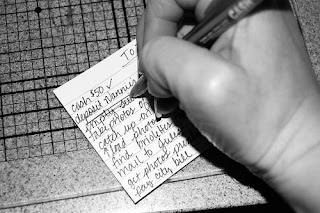
The to do list is one of the most elementary organizing tools. My family and friends will tell you that I’ve been making them practically since I learned how to write! My brain loves that if I can write something down that I need or want to do or think about later, then that means I don’t have to use up valuable brain power remembering it.
The content of my to do lists has evolved over the years, but I still use the same system: take a piece of scrap paper, get a pen, write stuff down, cross it off when I’m done.

I now also use the Stickies program on my iMac. Stickies are great because they automatically save, so you can’t lose your work if the power goes out, and you don’t have to take the time to press command-s every five minutes or after something changes. I also like the program because you can keep it open all the time and visually see the notes you have on your desktop. You can choose different colors and minimize them or expand them at will.
I keep a revolving list of medium- to long-term things at the top of my Stickies note, then a daily list below. Often I’ll have two or three days on there, so I can plan ahead to do smaller tasks. The electronic to do list makes it easy for me to add repetitive tasks with a simple copy and paste, it also makes it easy to add more information, such as a link to a map I might need to get to an appointment, that I can simply delete later.
When I’m not at my computer, though, I stick to the old standby, a piece of scratch paper or an index card that I can slip in my purse and take with me.
The to do list is free, simple and works.
Creative Commons to do list photo posted to flickr by tracitodd