Showing posts with label stickies. Show all posts

Monday, October 10, 2011

Things I love about Apple

Things I love about Apple products:
  • They boot up quickly
  • They look nice
  • Hard drives are easy to navigate
  • The way things look on screens is beautiful
  • There's less after-market software and hardware, so to find products and solutions you don't have to wade through a million similar products
  • Buying products from the Apple store is generally a satisfying experience: lots of helpful people who want to get you into the right product and will find the answer to any question you might have, and I love that you can buy from anyone anywhere in the store
  • Apple programs I like: Pages, Numbers, Bento, iCal, Preview, Stickies

Things I don't love about Apple products:
  • Their mice are not robust. I use a Microsoft mouse with a hearty scroll wheel.
  • Apple programs I don't like: iPhoto, iTunes, iMovie
  • That's all I can think of...

Need a professional?
Call Lelah at 818.269.6671
or email lelah@lelahwithanh.com

Monday, January 24, 2011

Elegy for a sticky note

Over the weekend, I lost something very dear to me. I won't bore you with the chain of events that led to the demise of all of my Stickies, but on Saturday morning, I started my computer and they were all gone. Just gone, in an instant. When I realized this, I wasn't hit with a wave of panic or regret at not having backed them up (though I wish I had). It was more like a sense of emptiness, of loss. The information on my dozen or so notes wasn't entirely irreplaceable. Sure, I had a running list of usernames and passwords on one note that I'll miss, and a list of interesting names that I turn to when writing, but those can be rebuilt. Rather, I was struck by the loss of my to do list, and how odd it felt to be on my computer without that touchstone of orderly tasks and ideas waiting for me to visit, to delete and add, to bold and highlight.


I've already started rebuilding my stickies. They are a really useful tool. I mourn for my lost information, but I look to the future and know I'll be okay.

If you also use Stickies, don't forget to include them in your regular back up. From Wikipedia:
Backup data: Stickies keeps all information in a self-contained database. The database can be backed up by copying the file StickiesDatabase which is located in a user's Library directory (i.e. ~/Library/StickiesDatabase)

Lelah Baker-Rabe is a Los Angeles-based professional organizer. To discuss your organizing needs, call her at 818.269.6671 or email lelah@lelahwithanh.com

Wednesday, May 20, 2009

Tips and Tools: To do list

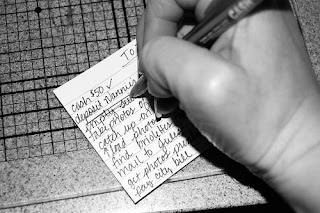
The to do list is one of the most elementary organizing tools. My family and friends will tell you that I’ve been making them practically since I learned how to write! My brain loves that if I can write something down that I need or want to do or think about later, then that means I don’t have to use up valuable brain power remembering it.

The content of my to do lists has evolved over the years, but I still use the same system: take a piece of scrap paper, get a pen, write stuff down, cross it off when I’m done.

I now also use the Stickies program on my iMac. Stickies are great because they automatically save, so you can’t lose your work if the power goes out, and you don’t have to take the time to press command-s every five minutes or after something changes. I also like the program because you can keep it open all the time and visually see the notes you have on your desktop. You can choose different colors and minimize them or expand them at will.

I keep a revolving list of medium- to long-term things at the top of my Stickies note, then a daily list below. Often I’ll have two or three days on there, so I can plan ahead to do smaller tasks. The electronic to do list makes it easy for me to add repetitive tasks with a simple copy and paste, it also makes it easy to add more information, such as a link to a map I might need to get to an appointment, that I can simply delete later.

When I’m not at my computer, though, I stick to the old standby, a piece of scratch paper or an index card that I can slip in my purse and take with me. 

The to do list is free, simple and works. 

Creative Commons to do list photo posted to flickr by tracitodd