Showing posts with label notes. Show all posts

Monday, November 23, 2009

Tips and Tools: Recipe annotation

The handwritten recipe book that my mom kept and used when I was a kid held a wealth of information in its pages. Almost every page was also decorated with the remnants of egg white, coffee stains, dustings of flour and smears of peanut butter and Crisco. It's impossible to not get a little bit of your ingredients on your cookbooks, and it's one of the things that makes them living documents. Another thing that makes cookbooks and recipes much more valuable than the paper they are printed on is the knowledge one learns every time one makes a recipe. What substitutions were made, how the end results looked and tasted, and the exhortation to use less salt next time are all pieces of information that should be written down when you make a recipe so that they next person who makes it has insight beyond what's printed on the page. Taking good notes on recipes saves time and headaches the next time you want to make the recipe, and it will help you decide what to make or what not to make. Of course, many of the things home cooks make aren't found in recipe books at all, but come out of our own heads, and it's a good idea to try to write those down as well, as you are making it, as trying to remember after the fact is nearly impossible, even if you've made it a hundred times.

Some things you can annotate your recipes with:

  • Date you made the recipe
  • Occasion for which you made it
  • End result: good, bad, ugly?
  • Your recommendation whether or not to make it again
  • Any substitutions made or ingredients omitted
  • Changes to the method that you made or want to try next time

If you feel uncomfortable writing on the actual pages, you can use a Post-it for your notes and affix it to the page. I use a pencil and use page flags to mark recipes that I have made and that I want to try. Also, check out my how to organize recipes series: Part 1, Part 2 and Part 3.

Lelah Baker-Rabe is a Los Angeles-based professional organizer. To discuss your organizing needs, call her at 818.269.6671 or email lelah@lelahwithanh.com 

Monday, September 21, 2009

Tips and Tools: Informative notes

When you are filing something away—whether it is an invoice, photograph or business card—you always think you’ll remember what service you invoiced for, who that guy standing next to your sister in the photograph is, and which florist handed you her card at your last business mixer. But more often than not you won't remember that information a week, let alone a year, down the line.

So, when you’re doing the action of filing, take an extra second and a permanent marker to write as much extra info on the item as you can to give yourself context in the future when you need to recall information about it. That extra information will help you decide if you want to keep the invoice, will help you (and your kids, and your grandkids!) know that that guy was your sister’s friend Juan, and will help you remember that you met the florist at the business mixer in the fall of ’09 and she said she’d give you 15% off if you used her services. The added notes will also make it easier to decide if it’s okay to let go of that item when you’re paring down your files, your photos or your business cards.

So, keep a pencil and Sharpie always at the ready and mark down names, dates, events, descriptions and even a “discard after” date if you are really feeling confident!

Lelah Baker-Rabe is a Los Angeles-based professional organizer. To discuss your organizing needs, call her at 818.269.6671 or email lelah@lelahwithanh.com

Wednesday, May 20, 2009

Tips and Tools: To do list

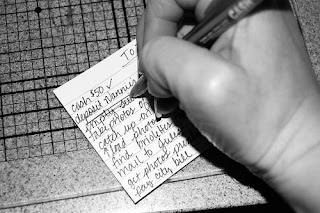
The to do list is one of the most elementary organizing tools. My family and friends will tell you that I’ve been making them practically since I learned how to write! My brain loves that if I can write something down that I need or want to do or think about later, then that means I don’t have to use up valuable brain power remembering it.

The content of my to do lists has evolved over the years, but I still use the same system: take a piece of scrap paper, get a pen, write stuff down, cross it off when I’m done.
I now also use the Stickies program on my iMac. Stickies are great because they automatically save, so you can’t lose your work if the power goes out, and you don’t have to take the time to press command-s every five minutes or after something changes. I also like the program because you can keep it open all the time and visually see the notes you have on your desktop. You can choose different colors and minimize them or expand them at will.

I keep a revolving list of medium- to long-term things at the top of my Stickies note, then a daily list below. Often I’ll have two or three days on there, so I can plan ahead to do smaller tasks. The electronic to do list makes it easy for me to add repetitive tasks with a simple copy and paste, it also makes it easy to add more information, such as a link to a map I might need to get to an appointment, that I can simply delete later.

When I’m not at my computer, though, I stick to the old standby, a piece of scratch paper or an index card that I can slip in my purse and take with me. 

The to do list is free, simple and works. 

Creative Commons to do list photo posted to flickr by tracitodd